


HRM System
Service provided by a strategic partner of Crowe Vietnam
Comprehensive HR Management. Unify all processes on a single platform.
What is HR Management System?
Human Resources Management System is a flexible, cloud-based HRM platform that provides a comprehensive solution for workforce management. The system unifies all essential HR operations from employee record management, time & attendance data integration, and payroll calculation to compliance management (Social Insurance, PIT) and contracts into a single centralized hub.
The solution enables seamless access and operation anytime, anywhere via both web and mobile applications, helping enterprises optimize processes and manage resources effectively.
This Human Resources Management System is provided and operated by a trusted strategic partner of Crowe Vietnam.
Comprehensive HR Functionality
All-in-one support for your HR department
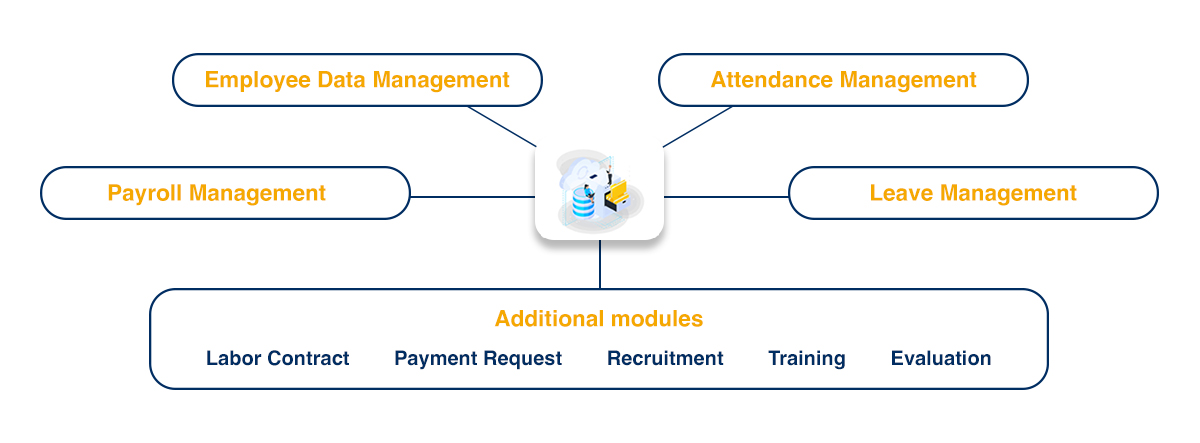
Key Features
Employee Data Management
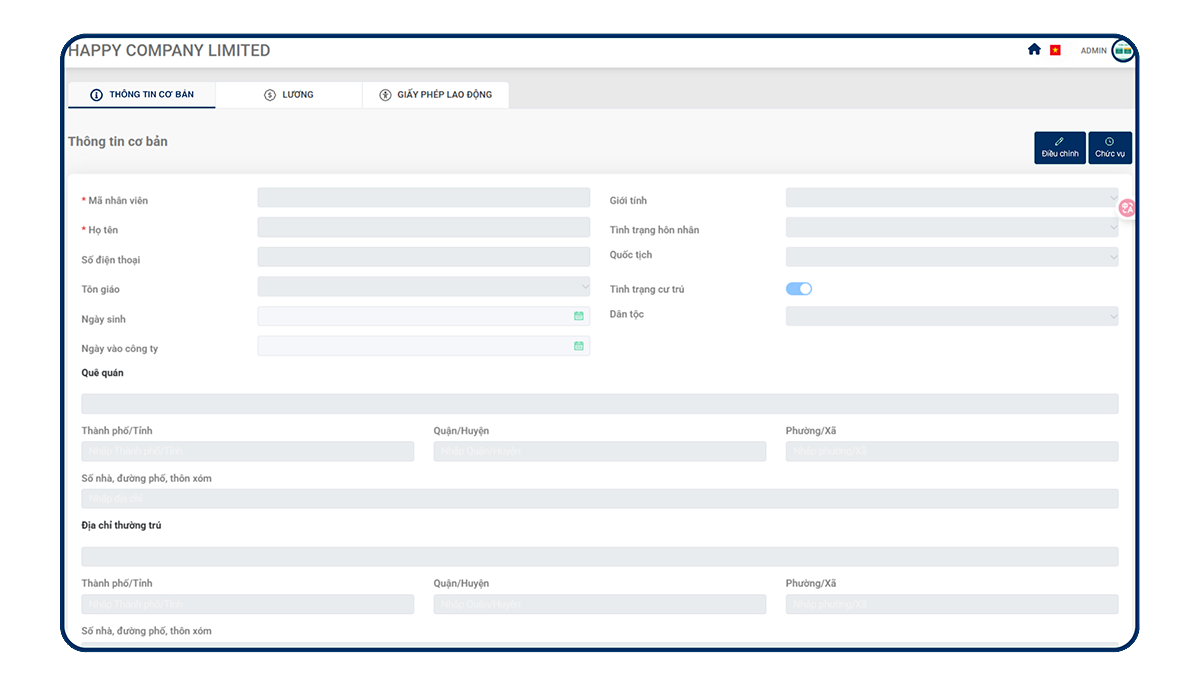
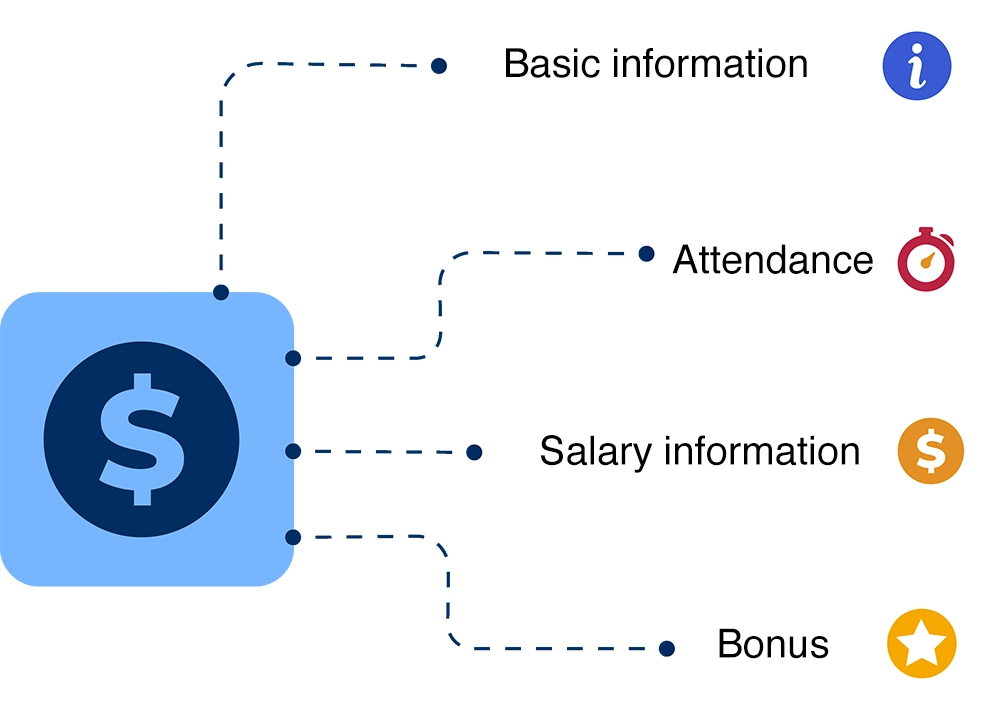
Basic Information
Efficiently store, update, and retrieve complete employee data.
- Provide all essential HR fields required by labor law
- Attach certificates and multiple file formats
- Create custom data fields as needed
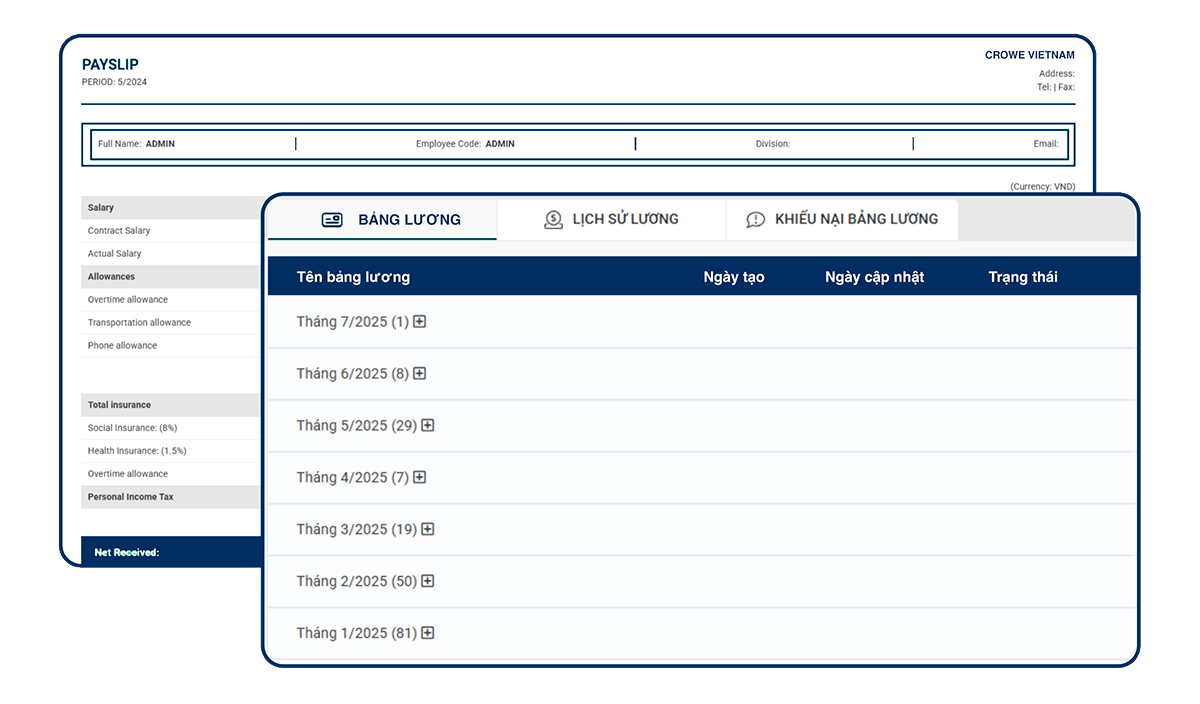
Salary Information
Manage and visualize employee payroll and benefits efficiently.
- Transparent and flexible salary structure
- Automatically generate and send individual payslips
- Clear salary history by timeline
- Synchronized with attendance, contracts, and insurance
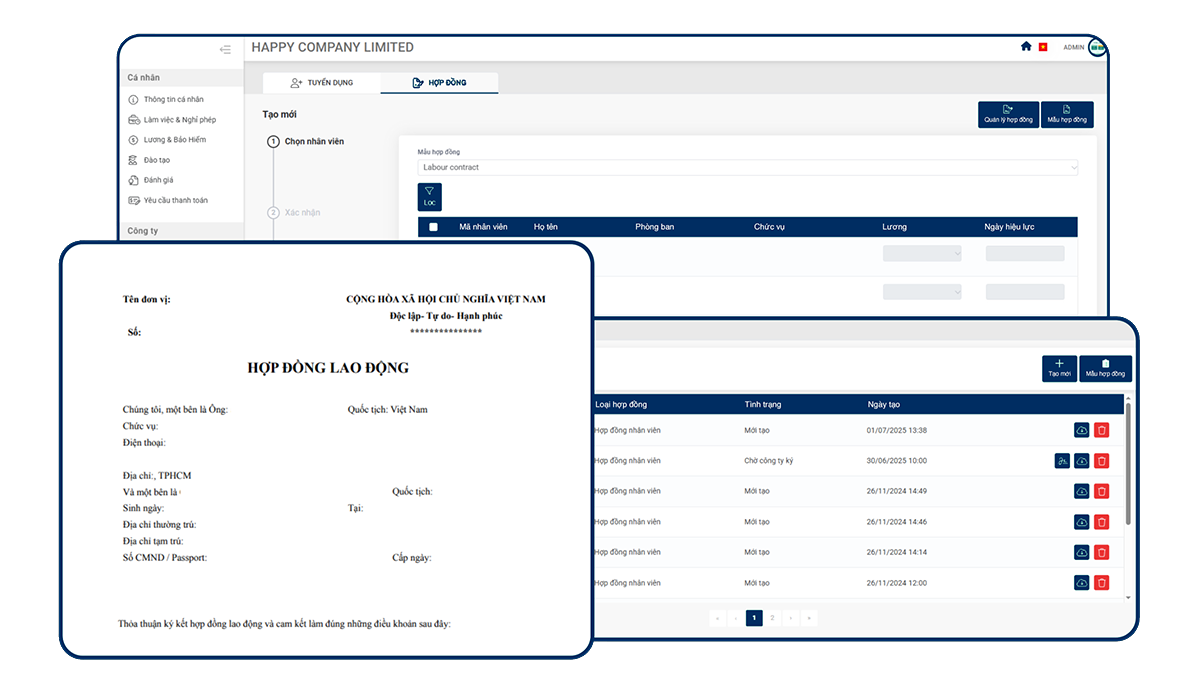
Labor Contract
Easily manage and automate labor contracts.
- Bulk contract creation using pre-filled data
- Flexible contract template management
- Centralized storage with easy retrieval
- Automated contract expiration reminders
- Electronic signature support
Personal Income Tax (PIT)
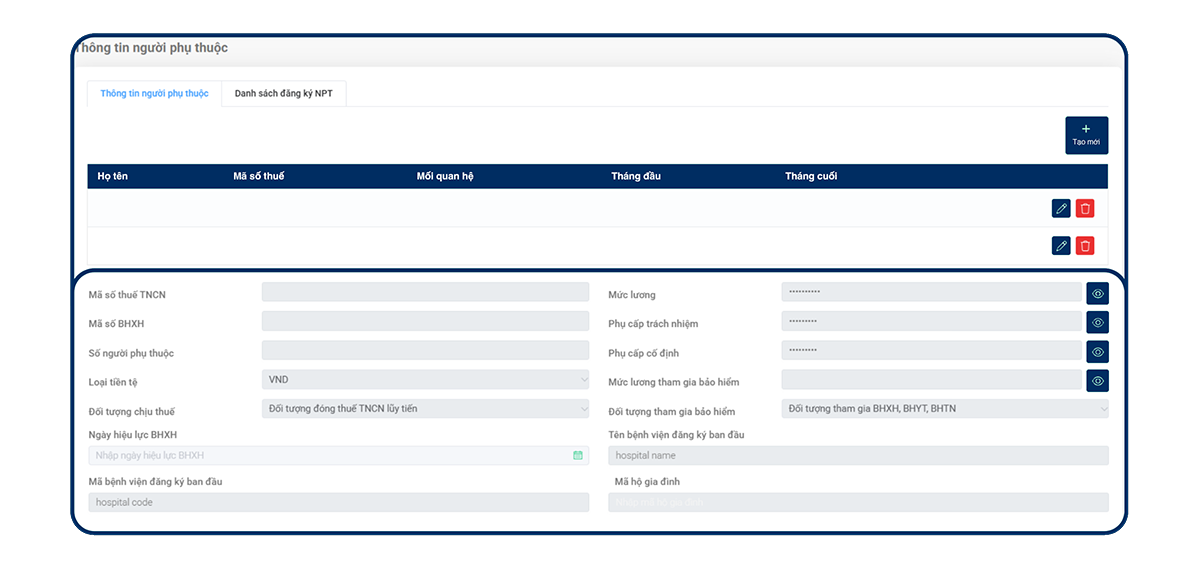
Quickly look up and update personal income tax information.
- Centralized PIT data management
- Auto-updated tax data and search
- Easy dependent information management
- Integrated with payroll and tax finalization
Social Insurance
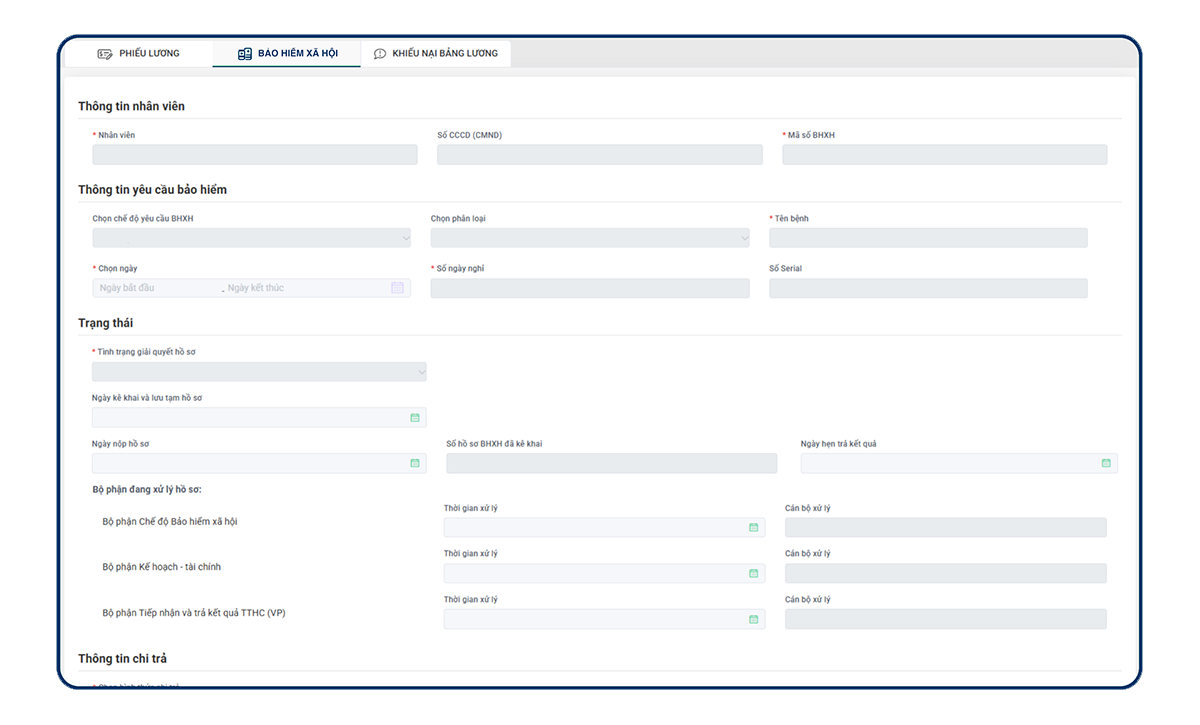
Track and manage all information and procedures related to Social Insurance.
- Accurate monitoring of social insurance participation
- Auto-linked with contracts and payroll
- Easy management of benefit claim documents
- Monitor deadlines and insurance changes
Attendance Management
WiFi-Based Attendance
Connect to the company’s internal WiFi to accurately record employee time and attendance, no additional hardware required.
- Auto-detect location via WiFi
- Reduce fraud - ensure employees' presence at the office
- Quick setup, ideal for fixed-location workplaces

GPS-Based Attendance
Use GPS positioning to track attendance at off-site locations such as construction sites or fieldwork areas.
- Customizable GPS coordinates per location
- Log working hours based on real job sites
- Perfect for construction, technical, and field service teams

Camera AI Attendance
Automatically records attendance when employees walk past designated cameras – completely hands-free.
- Touchless – No queues – Never forget to check in
- Minimize fraud, ideal for large workforce environments
- Great for factories, workshops, large offices, and industrial zones

Flexible Attendance
Allow employees to check in from anywhere, ideal for mobile, hybrid, or remote work models.
- No location limits – only internet required
- Suitable for sales teams, area managers
- An optimal solution for non-fixed working environments

Payroll Management
Automatic Data Collection
- Automatically collect data from multiple sources
- Ensure consistent, real-time updated data
- Minimize errors caused by manual input
Auto-Generated Payroll Sheet
- Automatically calculate and generate payroll sheets based on pre-set formulas.
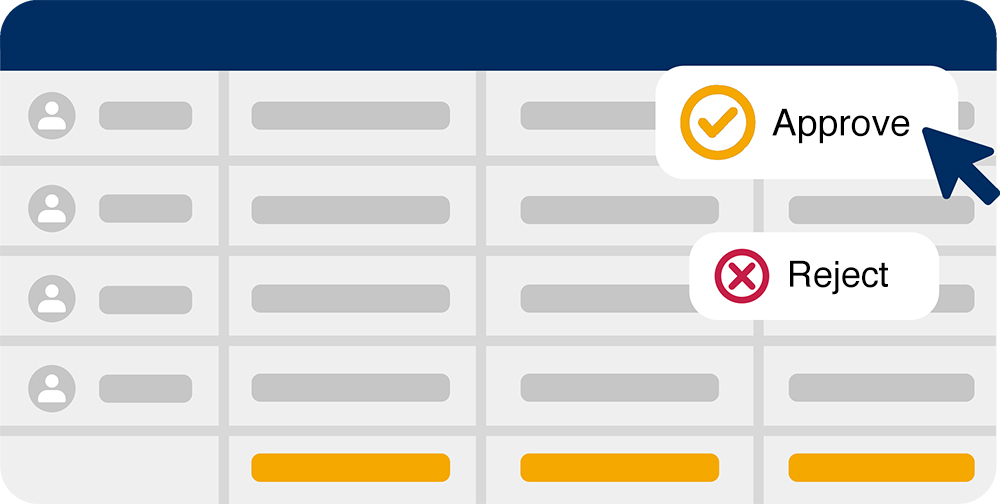
- Easy to review and adjust before approval
- Set multi-level approval permissions for payroll managers

Export Payroll Report
- Export summary reports for review and reconciliation
- Convert approved data into payslips
- Save reports in multiple formats (Excel, PDF, etc.)
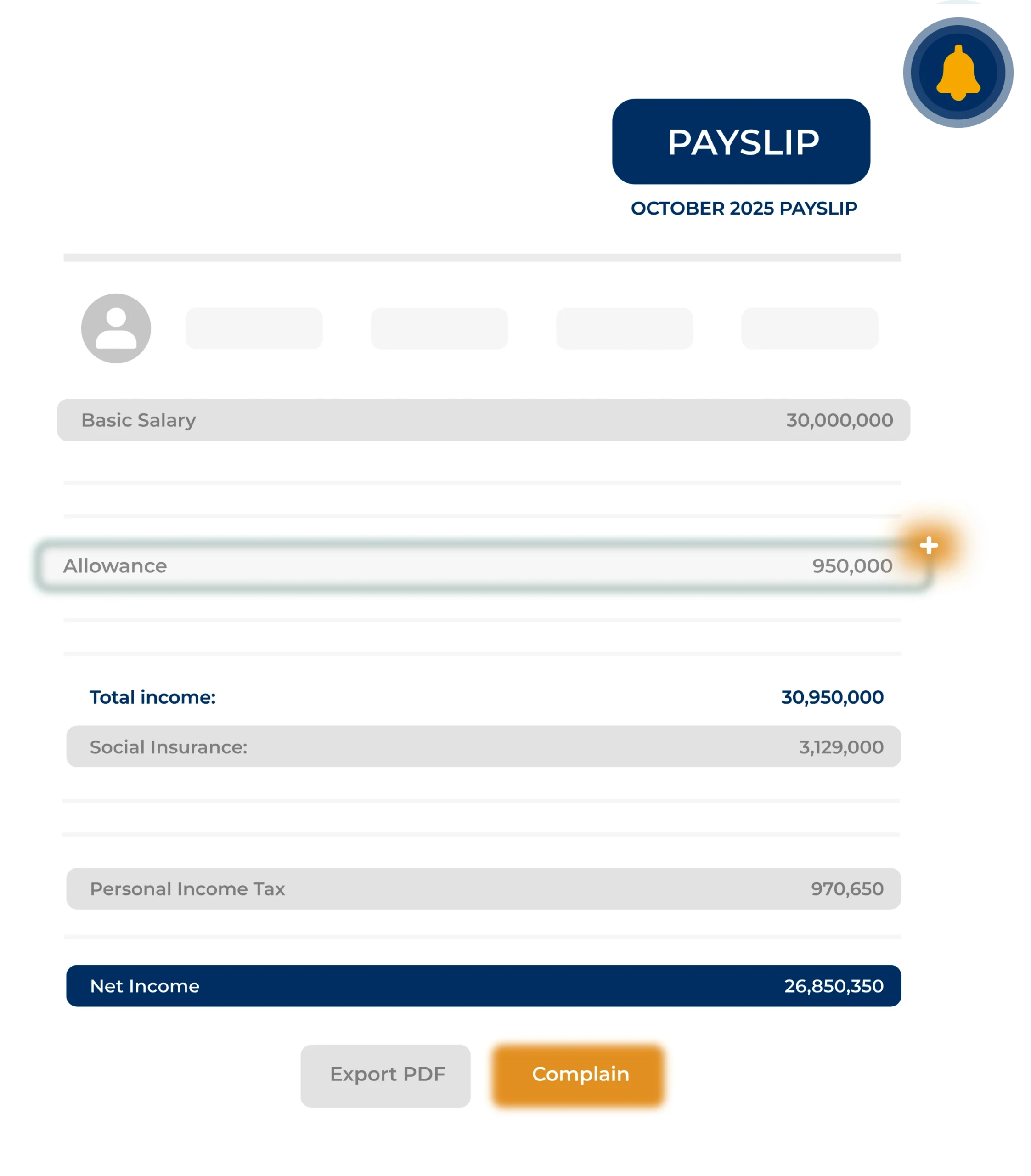
Auto-Generated Payslips
- Send payslips automatically via the terra system or email
- Customize layout, colors, and branding with company logo
- Allow employees to file complaints directly if needed
Leave Management
Request
Employees can easily create requests from anywhere:
Overtime Request:
- Select specific shifts and time slots for overtime
- Add reasons and attach supporting documents
- Simple interface - support for multiple shifts in one request
Leave Request (and similar requests):
- Support various leave types per company policy
- Real-time display of remaining leave days
- Option to apply for half-day or multiple days off
Approval
Managers receive notifications and process requests directly in the system:
Overtime Request:
- Compare requested time with scheduled work hours
- Warnings for OT limit exceedance, shift overlaps, or policy violations
- Approve/Reject quickly with notes for clarification
Leave Request (and similar requests):
- Auto-check remaining leave balance
- Multi-level approval by department or management level
- Approved requests are synced with the attendance system
Record
System automatically logs approved requests into attendance and payroll:
Overtime Request:
- Auto-calculate OT hours based on configured multipliers
- Sync with attendance and payroll records
Leave Request (and similar requests):
- Auto-deduct leave days (if paid leave)
- Log leave reason clearly and update attendance records
Summary
Comprehensive reporting for efficient HR management:
Overtime Request:
- Aggregate OT hours by month / employee / department
- Compare actual overtime with registered plans
Leave Request (and similar requests):
- Track leave usage rate and common leave reasons
- View leave history by employee, department, and time period
Technology & Security

- Optimal data security compliant with modern standards.
- Cloud integration enabling access anytime, anywhere.
- User-friendly interface with multi-platform support (Web, Mobile).
- Flexible customization tailored to specific industries.
Implementation Process
Step 1: Initial Setup
Analyze the enterprise’s HR and Compensation & Benefits (C&B) policies. Configure the system, standardize, and migrate master HR data onto the software.
Step 2: Pilot Run (Time & Attendance)
Integrate the software with Time & Attendance devices. Conduct a trial run to record shift data, clock-in/out times, and leave requests, ensuring the accuracy of input data.
Step 3: Parallel Run (Payroll)
Execute a parallel payroll calculation on both the legacy system and the new software. Reconcile detailed results (salary, tax, Social Insurance, etc.) to ensure absolute accuracy.
Step 4: Go-Live
Activate the new system once reconciliation results match perfectly. Conduct end-user training on features and hand over operations to the enterprise.
Service Pricing
Initial Setup Fee
Process setup before using the system
5.000.000đ (One-time setup only)
VAT excluded
- Setting system based on company’s policies
- Training for system usage
Chi phí vận hành
System usage fee per month
50.000đ /account/month
VAT excluded
- Full access to all system features
- Technical support and user guidance
Client Testimonials
Frequently Asked Questions
1. What are the costs associated with using the software?
The cost structure consists of two main components: an initial setup fee (one-time) and a monthly operating fee. Specifically:
1. Initial Setup Fee – 5,000,000 VND (excluding VAT)
This is a one-time fee charged upon initiation to cover:
- Aligning HR processes with the enterprise’s specific policies and characteristics.
- System configuration, role assignment, and master data initialization.
- Software training for the HR department and relevant users.
2. Operating Fee – 50,000 VND / user / month (excluding VAT)
This fee applies to each active user account and includes:
- Full access to the latest system features.
- Continuous technical support throughout the subscription period.
- Unlimited access to all modules: Time & Attendance, Payroll, Insurance, Performance Review, and Recruitment.
No hidden costs: We commit to transparent billing based on the actual number of active accounts, helping businesses control costs and scale easily.
Supports both Web & Mobile versions, suitable for SMEs as well as multi-branch enterprises.
2. How is the security of HR data guaranteed?
Absolutely. Information security is our core priority, especially when processing sensitive data such as payroll budgets, HR records, and compliance information (Social Insurance, PIT). We implement multi-layered protection measures:
- End-to-end encryption for data both in transit and at rest.
- Role-Based Access Control (RBAC) ensures that only authorized personnel can access relevant information.
- Secure cloud infrastructure complying with international standards, combined with periodic data backup and recovery mechanisms.
Notably, the system is implementing and aiming for compliance with ISO/IEC 27001:2022 (ISMS) standards, committing to risk management and information security according to global benchmarks.
3. What are the integration capabilities with other enterprise systems?
The system is designed with flexible connectivity, allowing:
- Flexible data import/export (Excel, CSV, PDF).
- Provision of APIs for seamless integration with existing systems such as ERP, Accounting Software, or CRM.
- Direct data synchronization with timekeeping devices (fingerprint scanners, facial recognition).
Our technical team will survey your current infrastructure and advise on the most optimal integration solution for your enterprise.
4. How are the implementation and user training processes conducted?
We provide a comprehensive implementation service to ensure a smooth transition, including:
- Surveying actual HR processes and structures to configure the system and appropriate modules.
- Detailed training for both the Administration team (HR) and End-users (employees).
- Providing a complete set of user manuals (PDF, video) and a Customer Service team ready to provide free technical support throughout the operation process.
5. What is the warranty and maintenance policy?
We commit to a lifetime warranty and maintenance policy, applicable throughout the duration of the enterprise’s subscription. This policy includes:
- All technical errors will be resolved free of charge.
- New features and updates are applied automatically without incurring additional costs.
Our Customer Service team commits to rapid response times (typically under 24 hours) via diverse support channels (Email, Hotline, Zalo, MS Teams, etc.).